
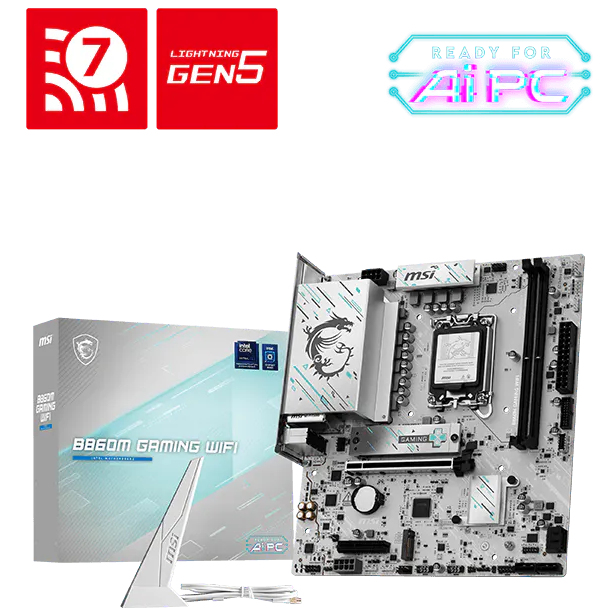
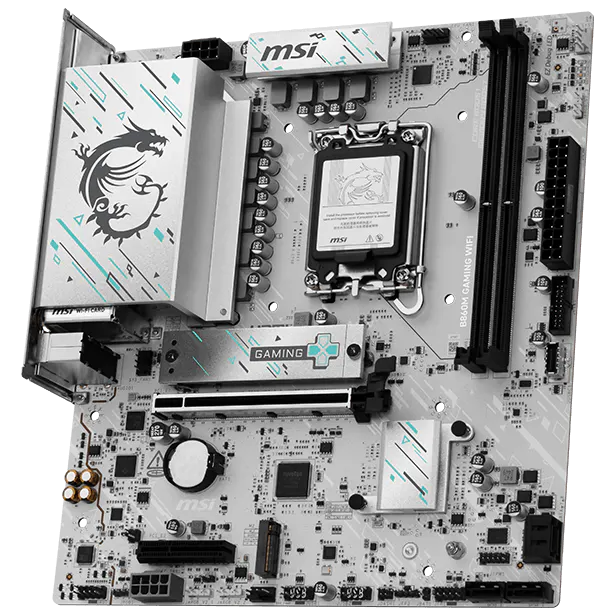
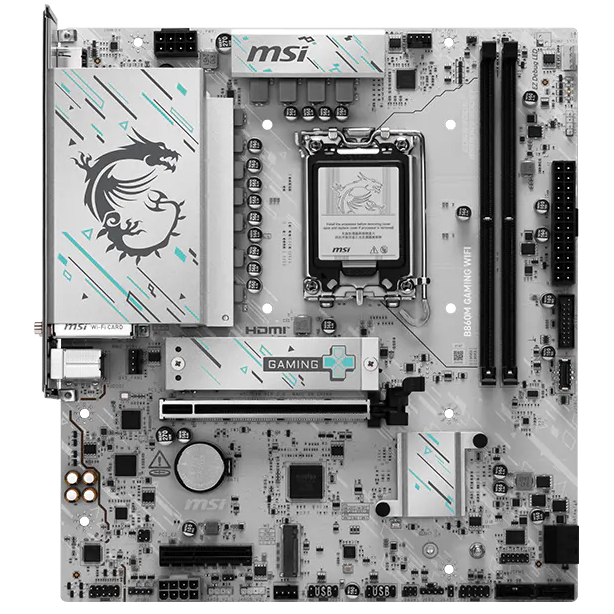


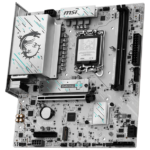


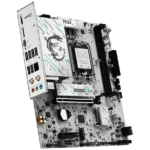

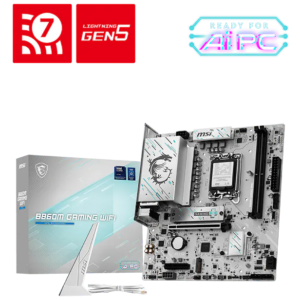
MSI B860M GAMING WIFI INTEL CHIPSET
₨ 48,500
- Support Intel® Core™ Ultra Processors (Series 2) for LGA 1851 socket
- Supports DDR5 Memory, Dual Channel DDR5-9066+ MT/s (OC)
- Ultra Performance: 8 Direct CPU Power with P-PAK Power System, 8-pin CPU power connector, Core Boost, Memory Boost, and 6-layer server-grade level PCB
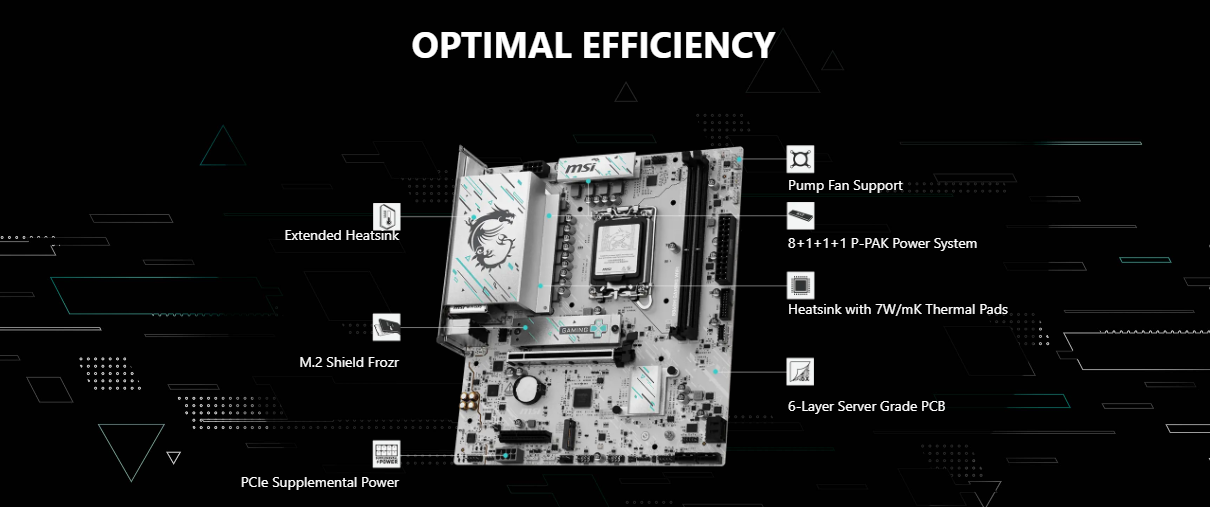
- Frozr Guard: Extended Heatsink, MOSFET thermal pads rated for 7W/mK, additional choke thermal pads and M.2 Shield Frozr are built for non-stop experience
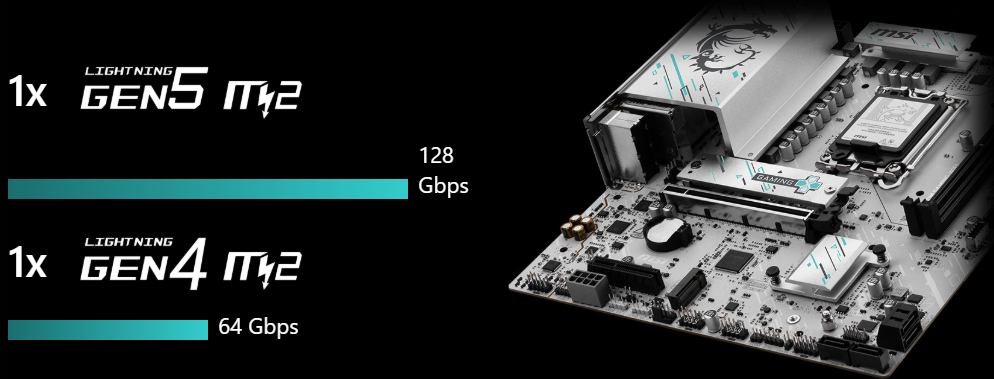
- Lightning Fast Game experience: PCIe 5.0 slot, Lightning Gen 5 x4 M.2, USB 20G Type-C
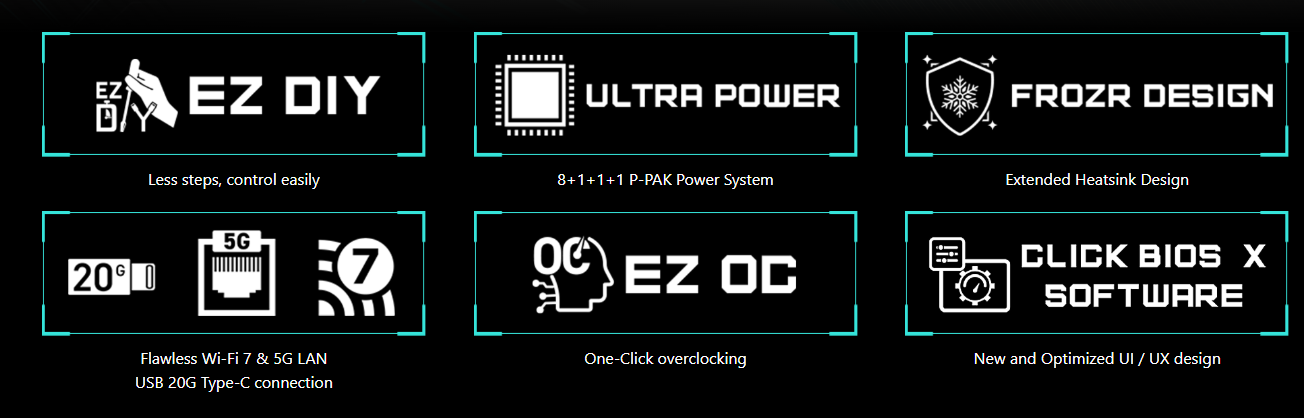
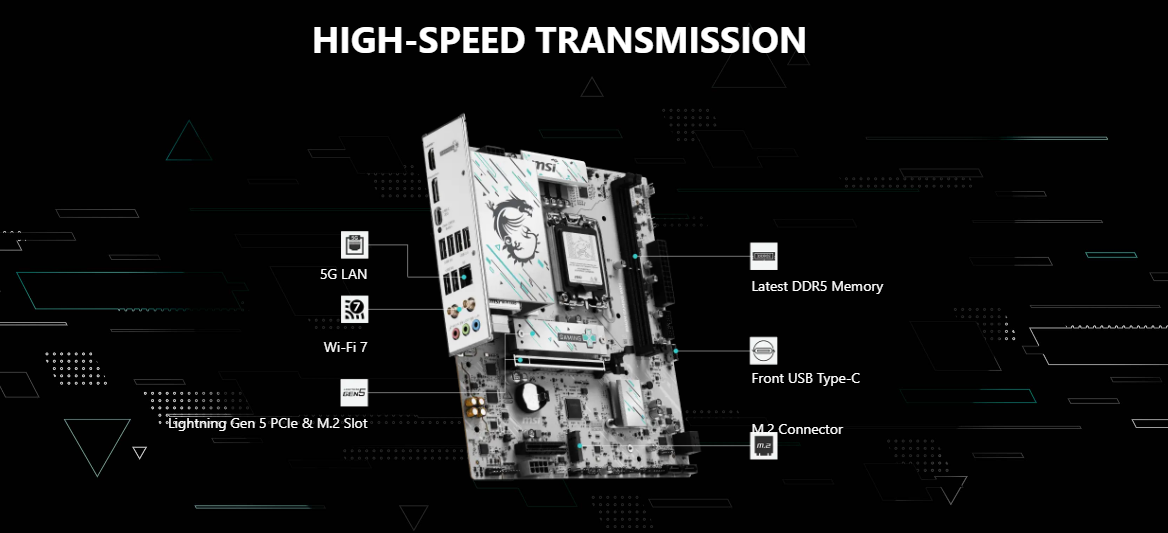
- High-Speed Connectivity: Realtek® 5G LAN, Wi-Fi 7 Solution – the latest solution for professional and multimedia use, delivering secure, stable, and high-speed networking and data transmission
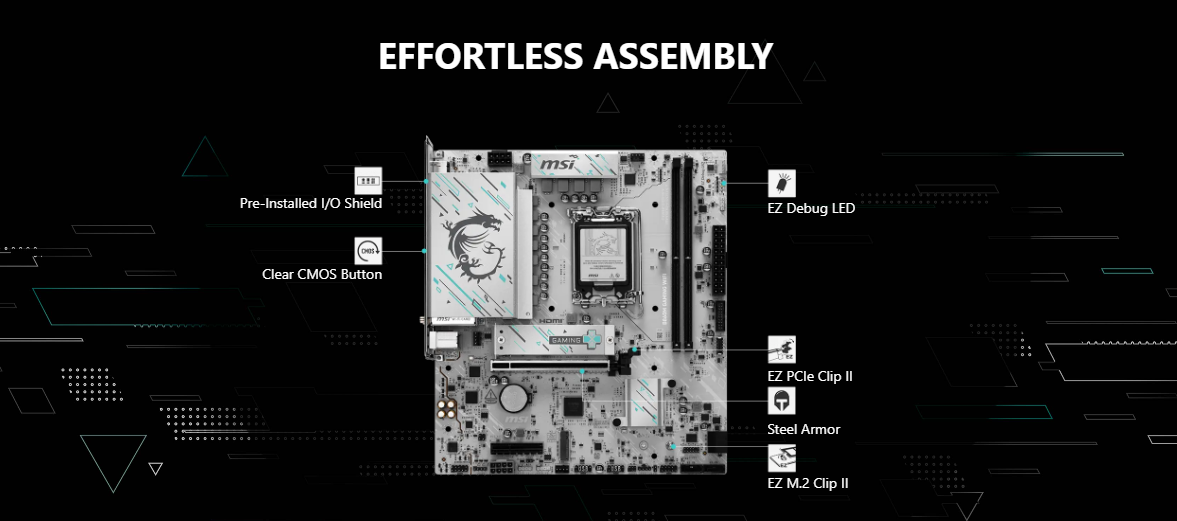
- EZ DIY: EZ M.2 Clip II, EZ PCIe Clip II and EZ Antenna
- Audio Boost: Reward your ears with studio-grade sound quality for the most immersive gaming experience
MSI B860M GAMING WIFI
The MSI B860M GAMING WIFI is crafted to offer extensive connectivity, versatile tools, and a premium Wi-Fi solution for gamers seeking a comprehensive experience. Featuring USB 20G Type-C port, Wi-Fi 7, 5G LAN, PCIe 5.0 solution, Supplemental PCIe Power and exclusive EZ DIY features, it is ready for 24/7 non-stop gaming optimized for Intel Core Ultra processors.
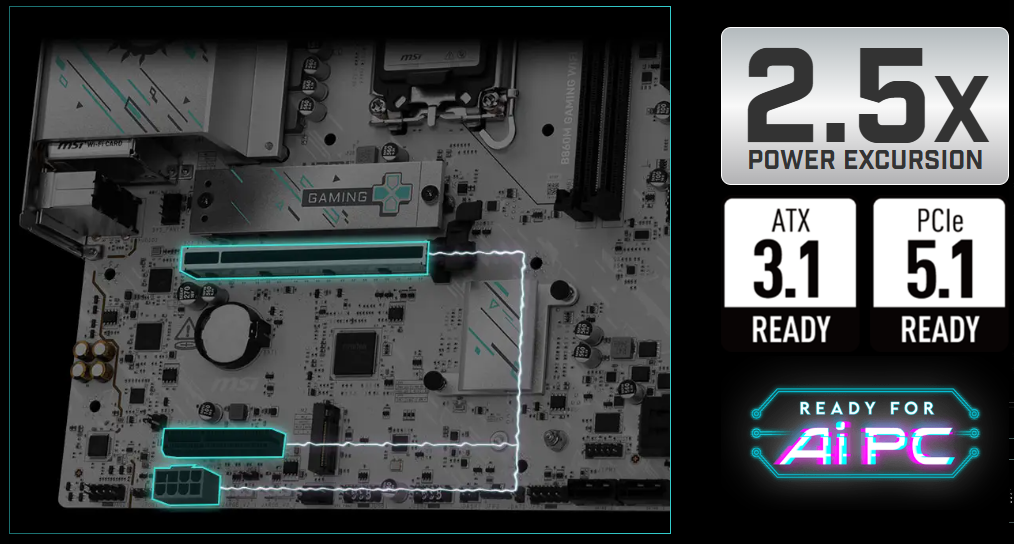
Ready for Ai PC
MSI motherboards are designed with advanced hardware and technology, well-supporting the demanding computing usage of gaming and AI. Moreover, we also introduce AI to MSI Center and BIOS, making everything more effortless than before.

PERFORMANCE & THERMAL
CONNECTIVITY
EZ DIY
EZ DIY
ONE-FINGER
EZ M.2 INSTALLATION
EZ M.2 CLIP II
MSI’s exclusive EZ M.2 CLIP II makes M.2 installation seamless. Insert the SSD card into the slot and press it down to lock it in place with the clip. As fasten the SSD, flick the clip outwards and then the SSD is removed. The process is smooth, and you don’t need to use your tools like before. One finger can give you perfect DIY experience.

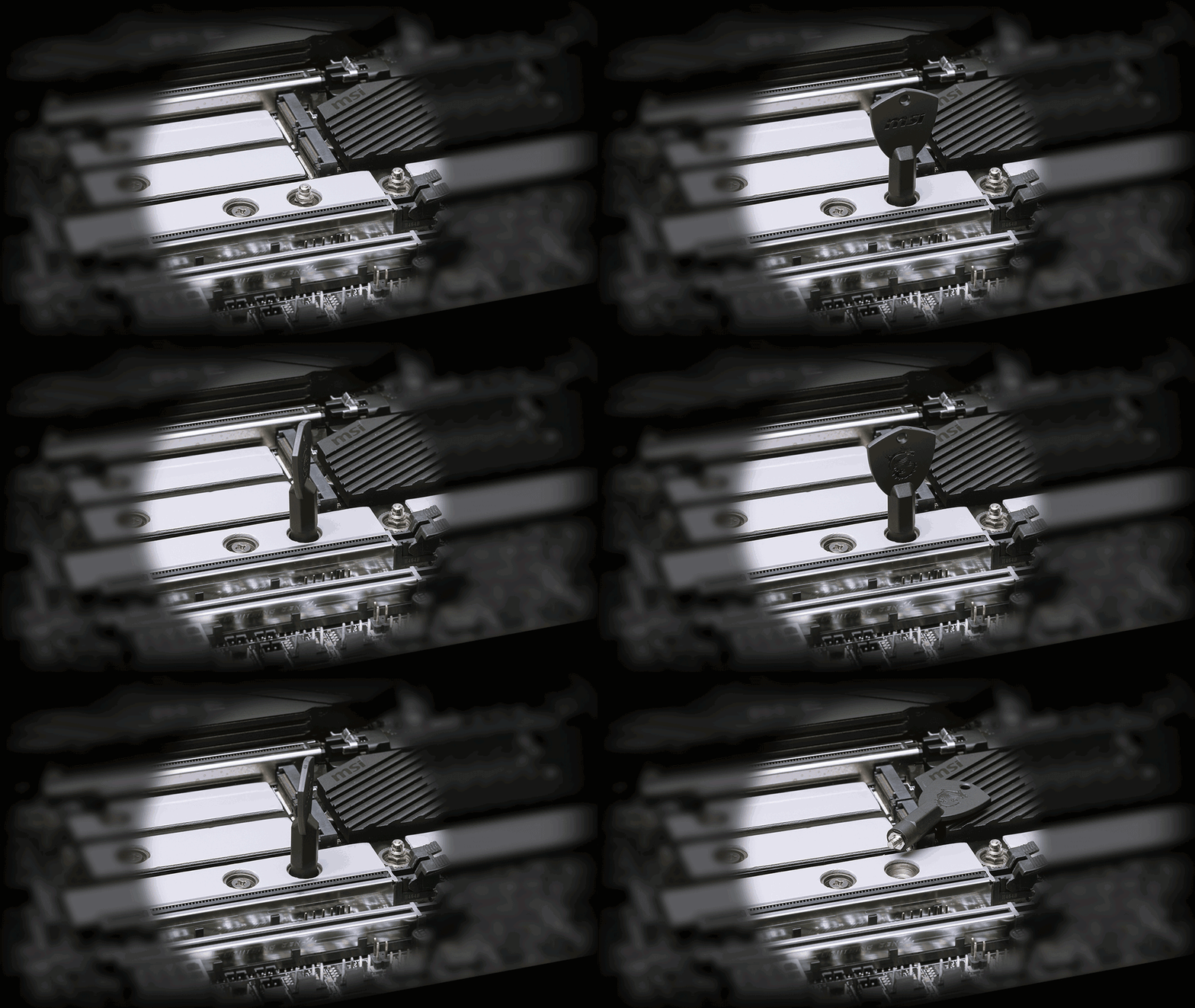
EZ M.2 CLIP II REMOVER
Introducing MSI’s EZ M.2 CLIP II Remover, a handy tool designed to simply switching or repositioning the EZ M.2 CLIP II on your motherboard. The tool allows users to effortlessly detach the EZ M.2 CLIP II from the motherboard and reattach it to any desired M.2 slot. It is included in the accessory kit that comes with MSI motherboards.
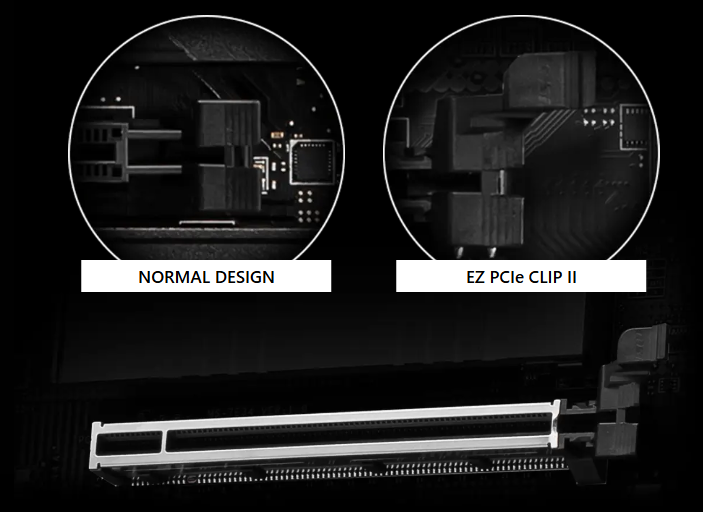
One Finger for EZ GPU Installation
The new EZ PCIe Clip II, located on the first slot, features the rebounding force mechanism that allows for easy removal of the graphics card by pressing the tail-like lock with one finger. Due to this exquisite design, users can uninstall the graphics cards effortlessly, even in the cramped case spaces.
Restore the BIOS to the default settings – helpful in 99% of the cases to successfully boot again.

ONE HAND
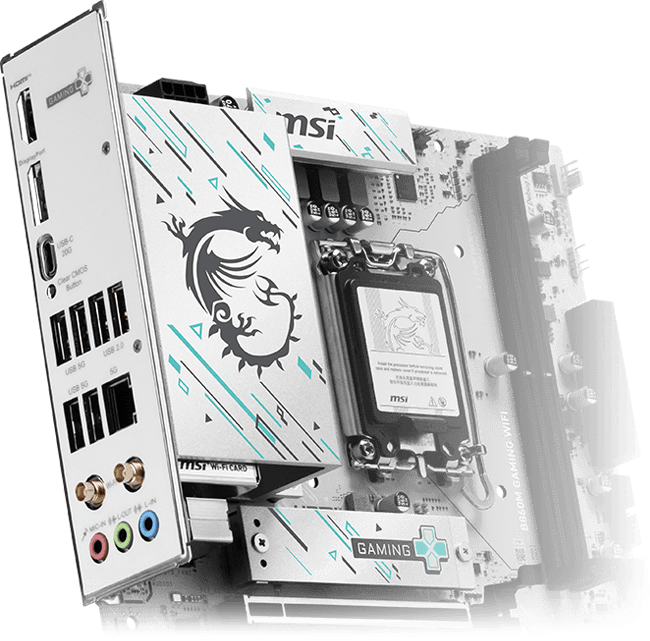
The Pre-Installed I/O Shield offers a streamlined and hassle-free installation experience by eliminating the need to manually fit the I/O shield during motherboard setup. With its built-in design, it ensures proper alignment and a secure fit, providing both protection and convenience while enhancing the overall durability of your build.
EZ MOUNTING
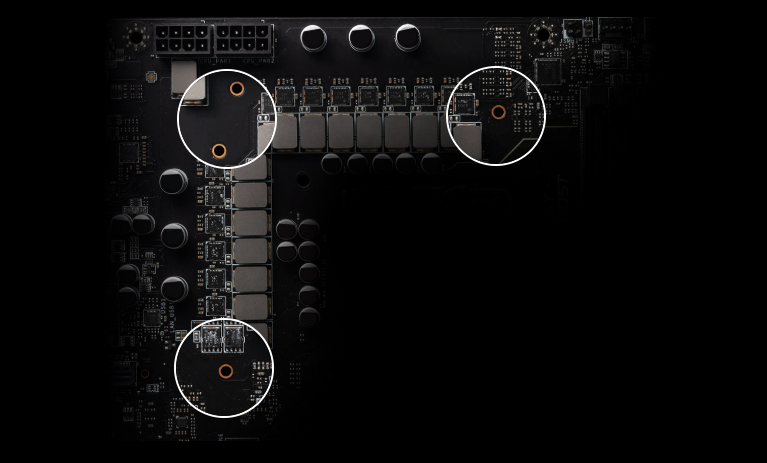
MSI motherboards circuitry ensure the case standoff keep out zones are pure and clean. Moreover, the protective paint is printed around each screw hole to prevent parts from being scratched or damaged to the motherboard.

ONE STEP
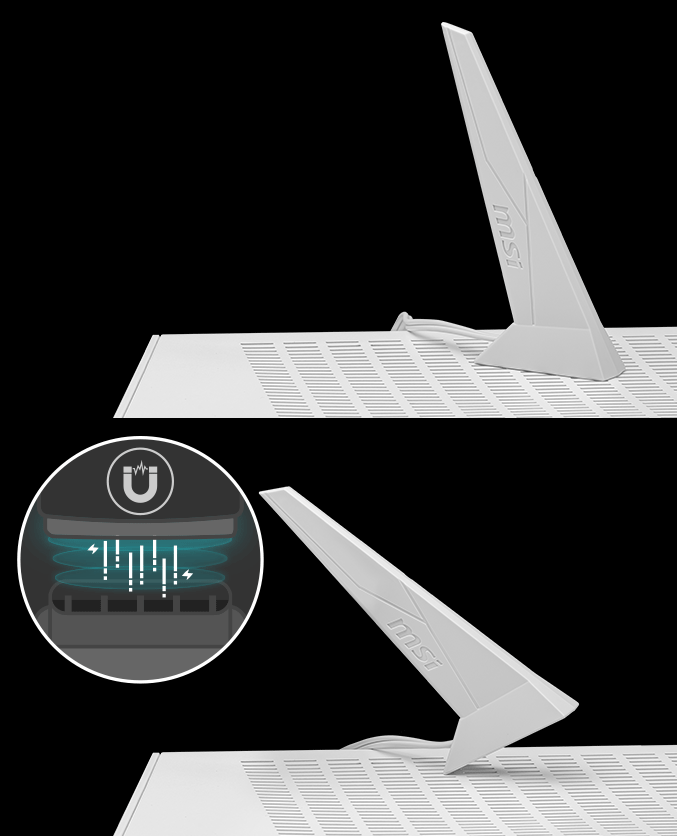
EZ ANTENNA
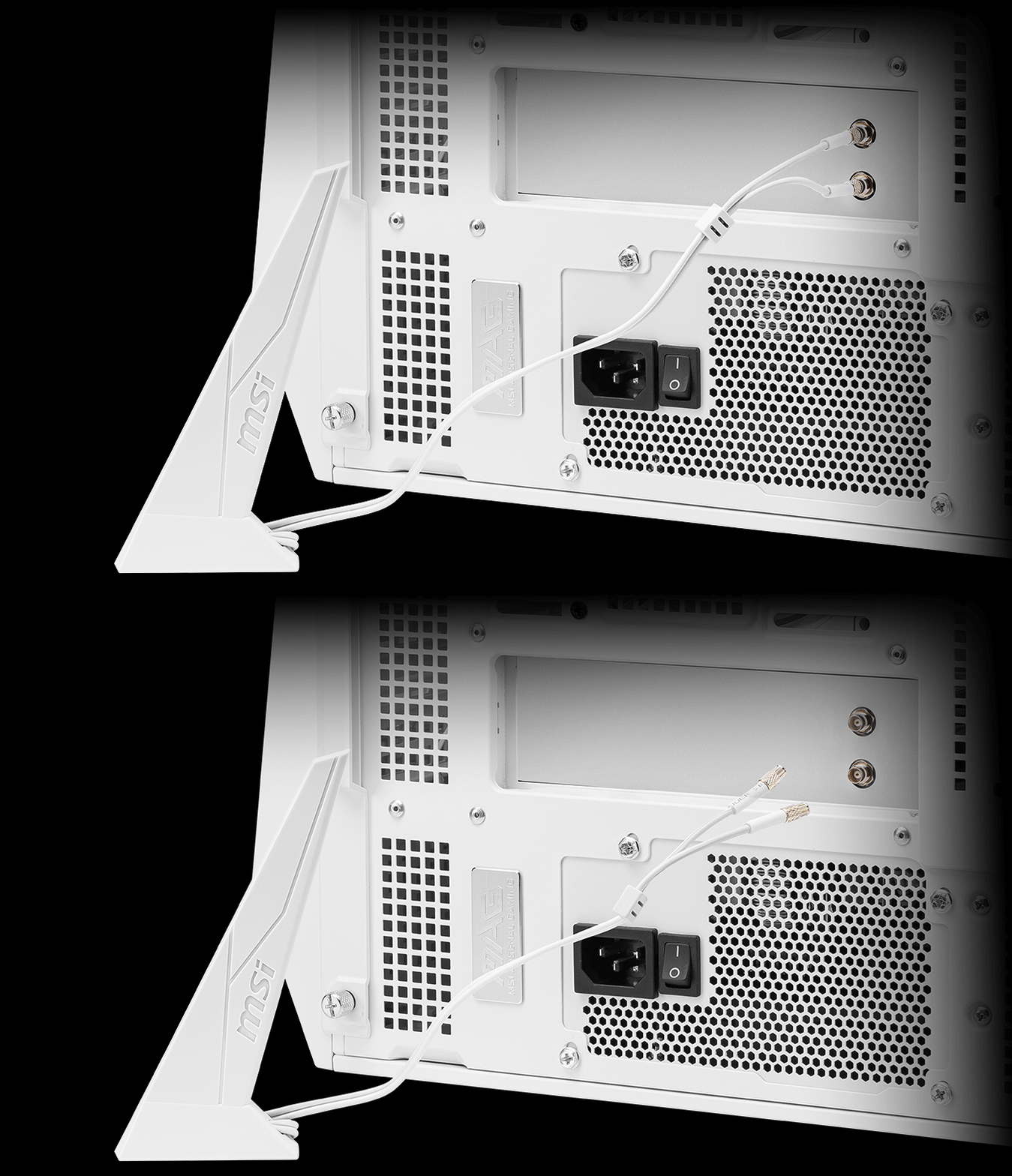
MSI EZ Antenna makes the process effortless by simply attaching fasteners to the motherboard without rotation.
MSI DRIVER UTILITY INSTALLER
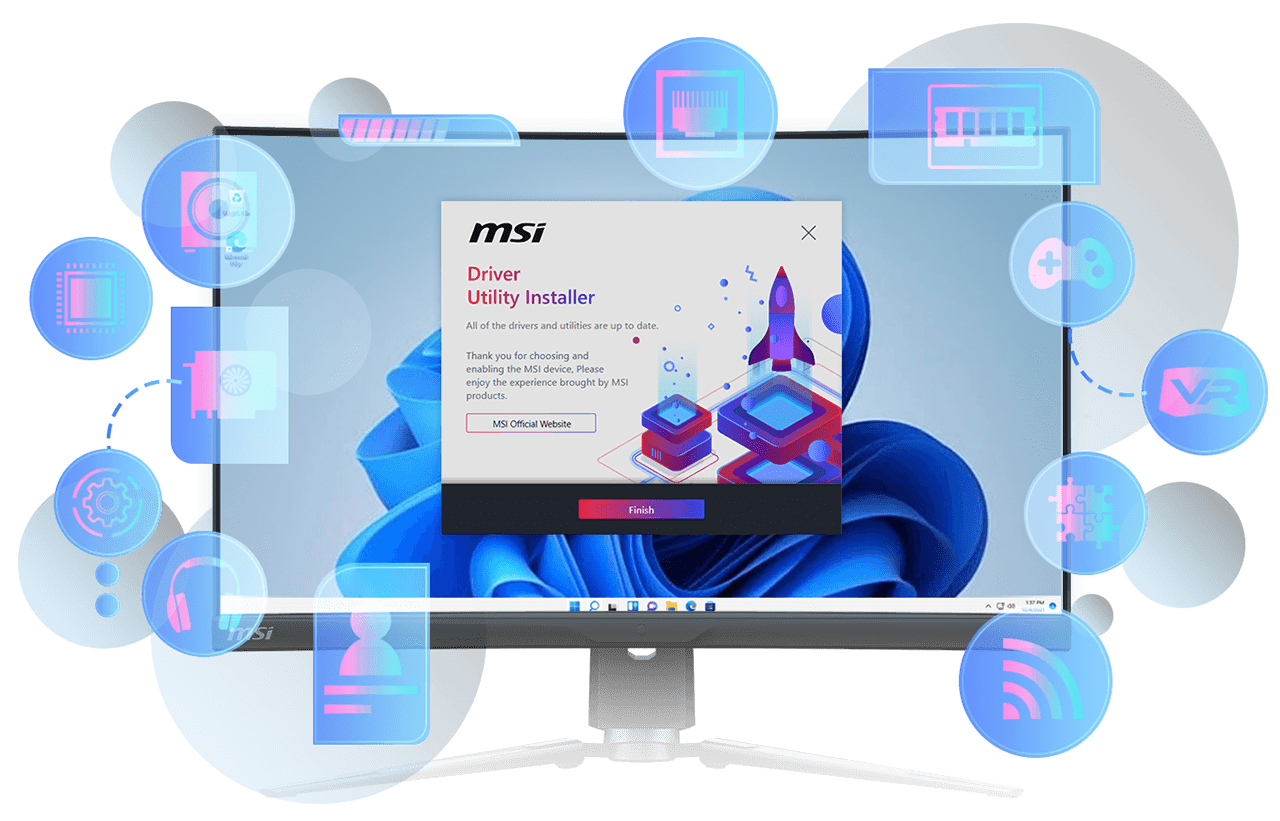
Once connected to the internet, MSI Driver Utility Installer will detect and present suitable drivers and utilities automatically, you can download and install with just a few clicks.
*Please ensure to connect the internet, or the Driver Utility Installer won’t launch automatically.
*MSI Driver Utility Installer will be ready in Windows 11 build 22H2.
ONE GLANCE
EZ DEBUG LED
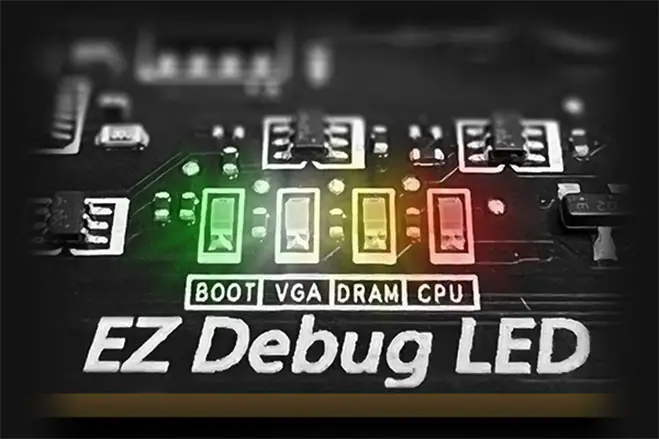
Onboard LEDs will indicate the source of the problem so you know exactly where to look to get up and running again.
EZ MEMORY DETECTION LED
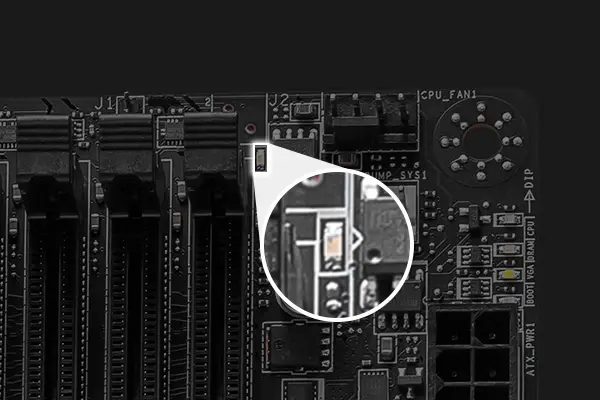
This LED lights up when it detects faulty memory in slots, eliminating guesswork from troubleshooting.
EZ IDENTIFY
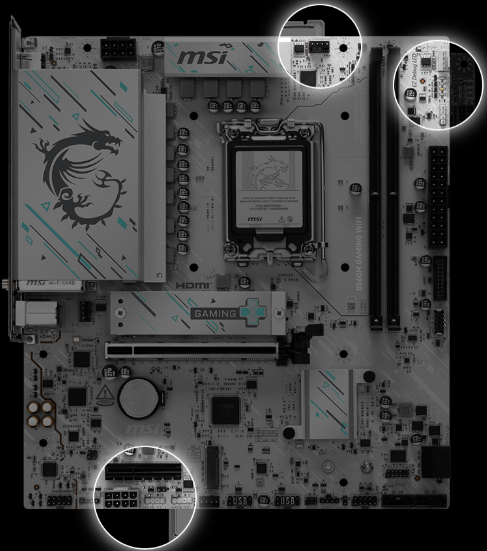
HEADER WITH DIFFERENT COLOR
To better differentiate between pin headers for different purposes, mark the pump sys header and ARGB headers in white and PCIe 8-pin header in gray, enabling users to manage cables more efficiently.
IDENTIFY M.2 SIGNAL SOURCE
The motherboard has a detailed M.2 signal source list printed on it, allowing you to easily identify them.

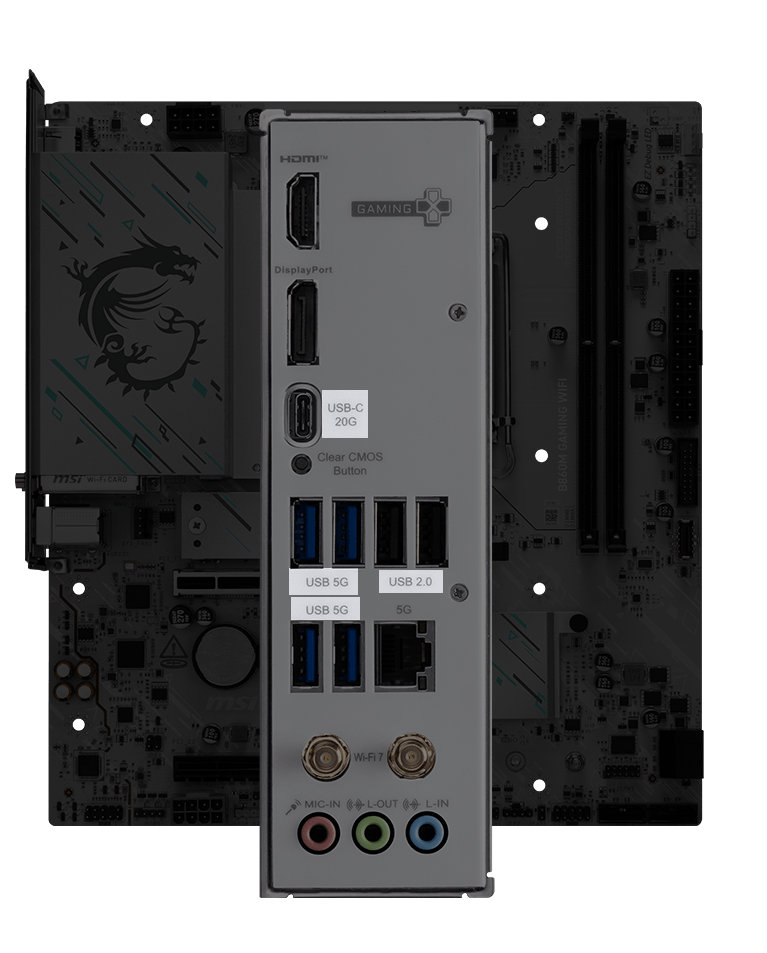
IDENTIFY USB SPEED
Change the way USB speeds are described to numbers (rather than the confusing names like USB 3.2 Gen 2×2) for better understanding
ONE CLICK
EZ OVERLOCKING
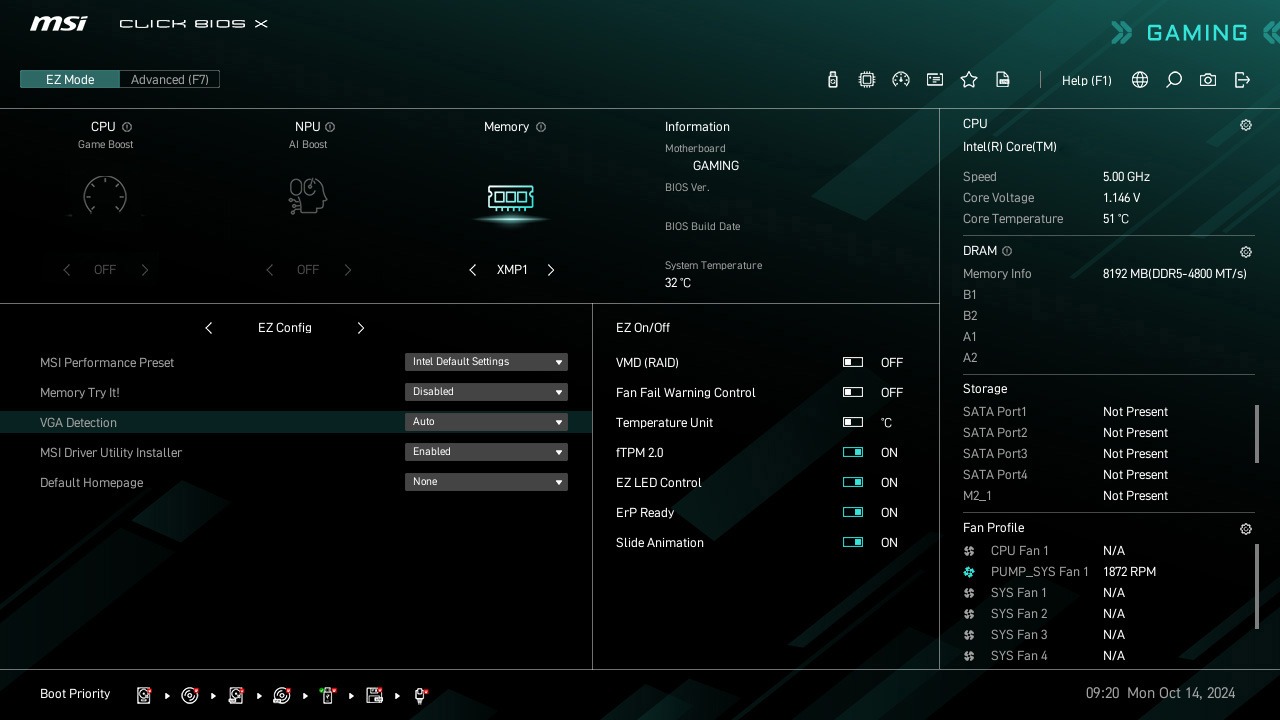
While overclocking can be overly complex for some, MSI Click BIOS X made it more accessible with multiple one-click overclock features, allowing users to easily enhance system performance without delving into intricate settings.
XMP
Choose from preset XMP profiles to automatically overclock compatible DDR memory for optimal performance.
EZ OPTIMIZATION
A host of features inject artificial intelligence into key aspects of your computing experience to make smarter, real-time optimizations. The MSI Center offers a clean, minimal interface to customize and manage your PC settings. The AI Engine, for example, automatically adjusts settings based on the applications you’re using, ensuring seamless performance.

ULTRA PERFORMANCE
POWER SOLUTION
POWER DESIGN
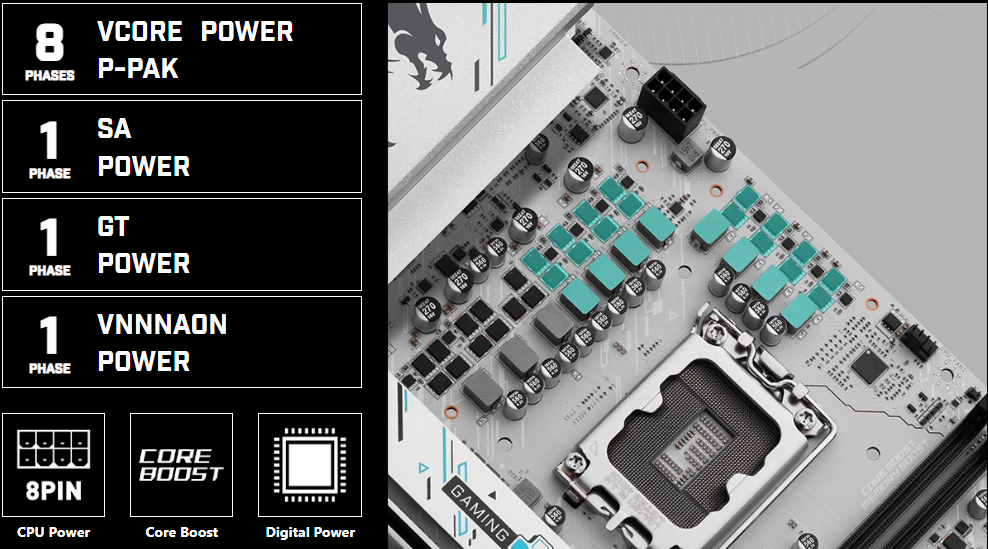
8 + 1 + 1 + 1 P-PAK Power System
Unleash and sustain maximum performance with an aggressive VRM design built with digital CPU power system. Combining 8 pin power connector and exclusive Core Boost technology, the B860M GAMING WIFI is ready to sustain heavy gaming loadings.
PCB DESIGN
OPTIMIZED PCB SOLUTION
The PCB design has been optimized for higher bandwidth and faster transfer speeds, which is also beneficial for reliable circuit transmission.
6 PCB LAYERS

EZ OC TUNING
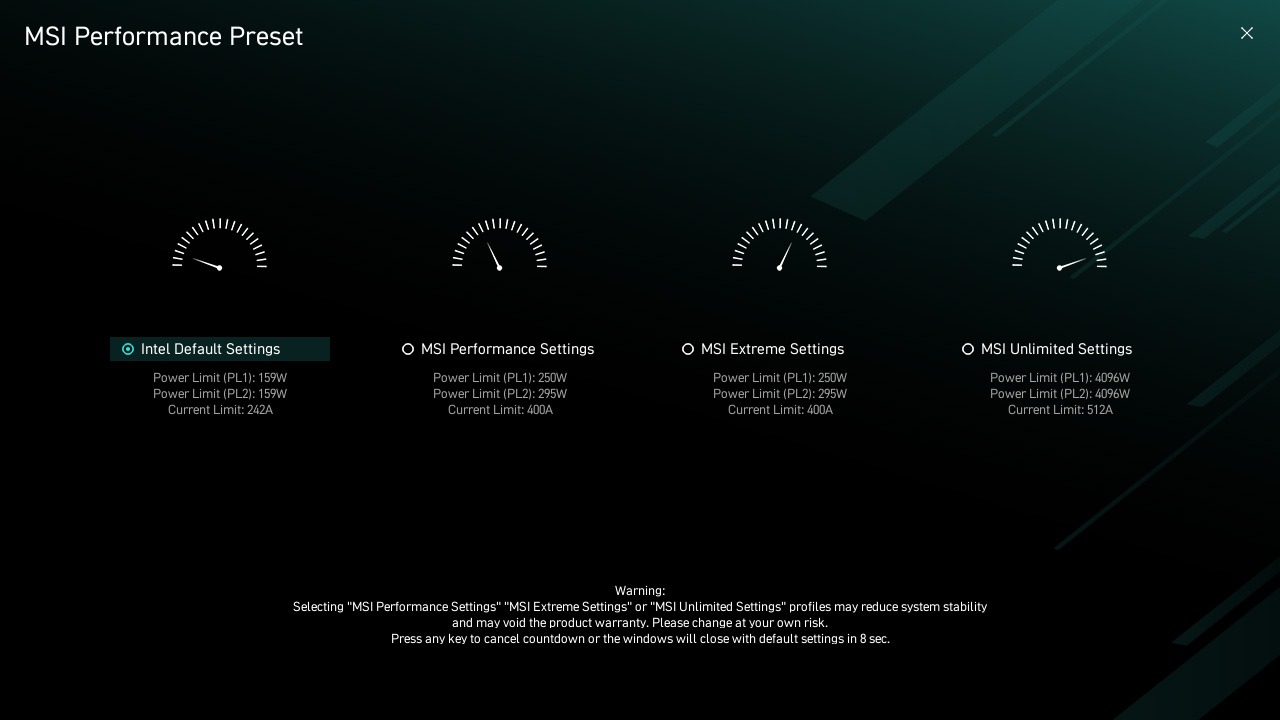
PERFORMANCE PRESET
The MSI Performance Preset simplifies power limit management through intuitive profiles based on you CPU and motherboard configuration.
*Please note that available presets may vary depending on CPU and motherboard configurations, and some presets may operate with identical power limit settings.
CPU LITE LOAD CONTROL
CPU Lite Load Control is a feature that allows for easy adjustment of the AC/DC loadline settings. It is primarily used to fine-tune the CPU’s operating voltage to optimize power consumption and thermal performance. The system can maintain stable performance while improving energy efficiency, reducing overall power consumption and temperature. This feature is ideal for users who want more precise control over system power management.

MORE FOR PERFORMANCE
1-SECOND OVERLOCKING
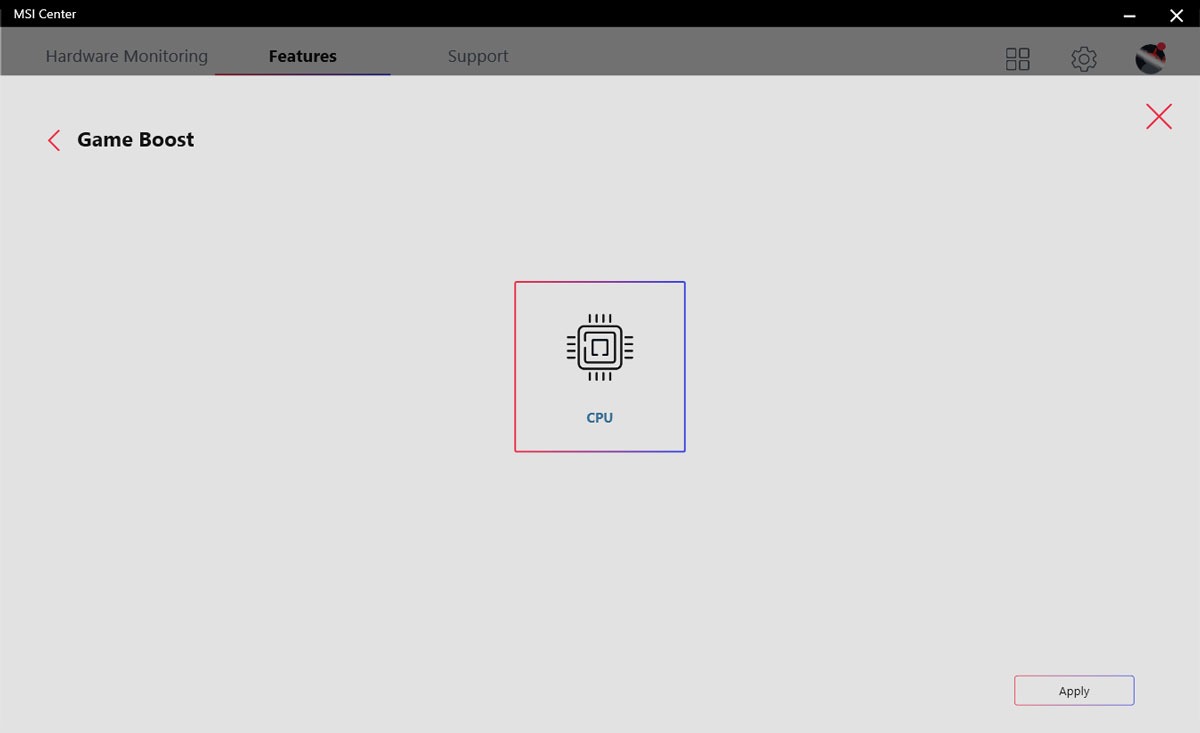
MSI Game Boost enables one-second overlocking, giving you the performance boost you need to get more FPS.
LOAD-LINE CALIBRATION
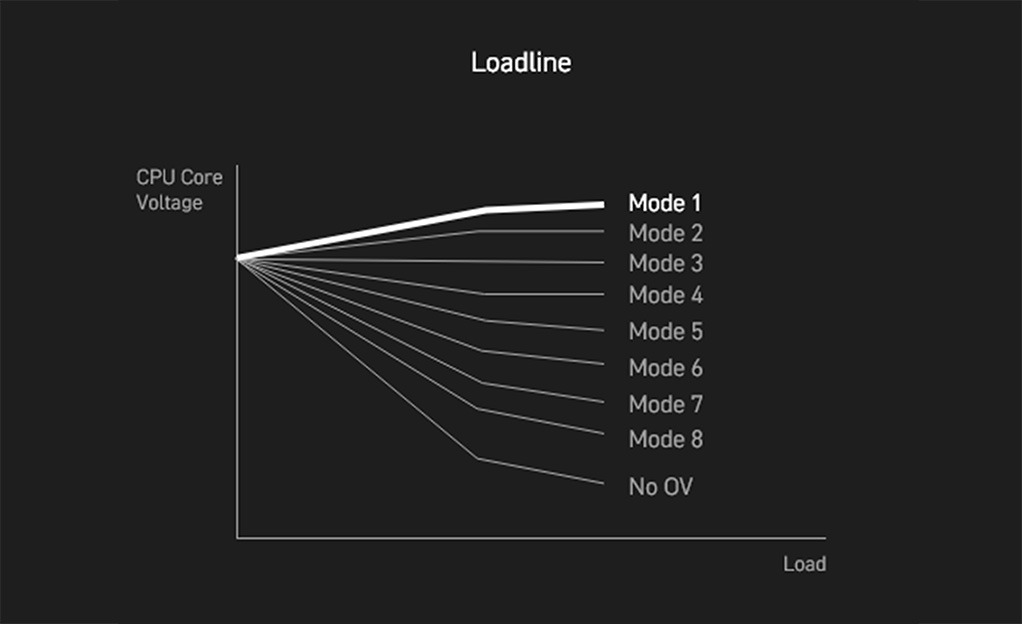
What you set, is what you get. LLC makes sure your CPU voltage remains 100% stable under any load. This greatly improves stability when demanding more CPU performance.
OVERVOLTAGE PROTECTION
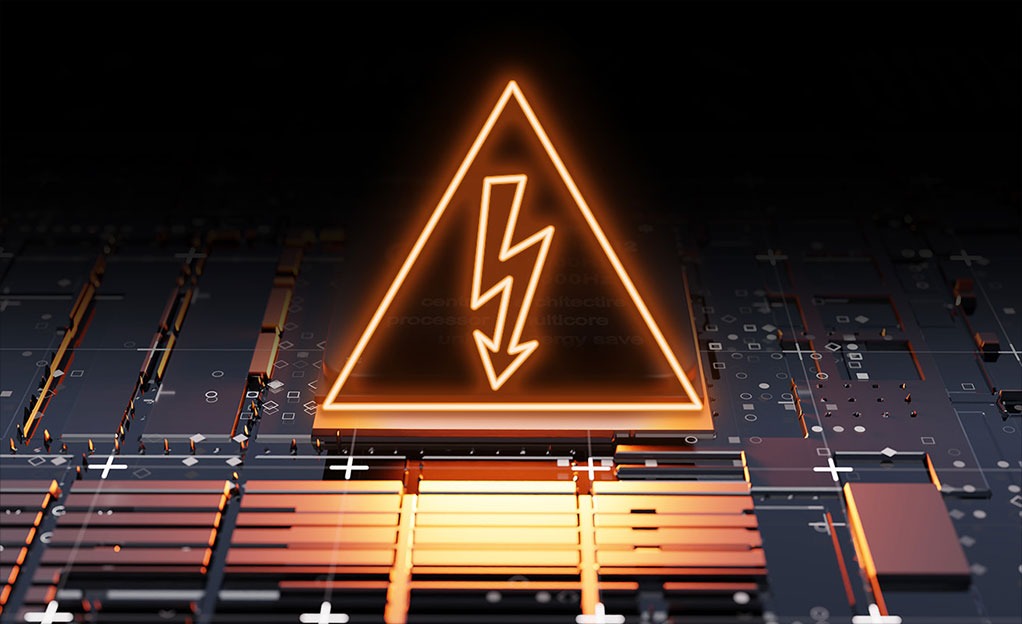
Prevents potential short-circuit damage to the CPU and other critical components.
MEMORY
DDR5
DDR5 MEMORY SUPPORT WITH HIGH PERFORMANCE
A huge step of DDR performance enhancement with the latest DDR5 memory. Combines with dedicated SMT welding process and MSI Memory Boost technology, B860M GAMING WIFI is ready to deliver the world class memory performance.
- XMP SUPPORT
- MEMORY BOOST
- SMT PROCESS

Memory Extension Mode
Memory Extension Mode provides optimized memory parameters for enhanced capability at the same frequency, achieving lower latency and higher performance. Furthermore, Memory Extension Mode can combine XMP profiles to maximize memory frequency, enabling users to effortlessly discover the best configuration based on their requirements.
Performance Mode, Benchmark Mode and Memtest Mode provide users with the flexibility to swiftly identify the ideal configuration tailored to their requirements and memory overclocking capabilities.
PROTECTION
TVS
Transient Voltage Suppressors (TVS)
Transient Voltage Suppressors (TVS) are safety devices used to protect against excessive voltage. All motherboard models of MSI are equipped with TVS. When the voltage abnormally rises, the TVS switches from a high-resistance state to a low-resistance state, diverting the excessive voltage to ground. This helps prevent circuit damage caused by high voltage.

SOLID PIN DESIGN
solid pin design
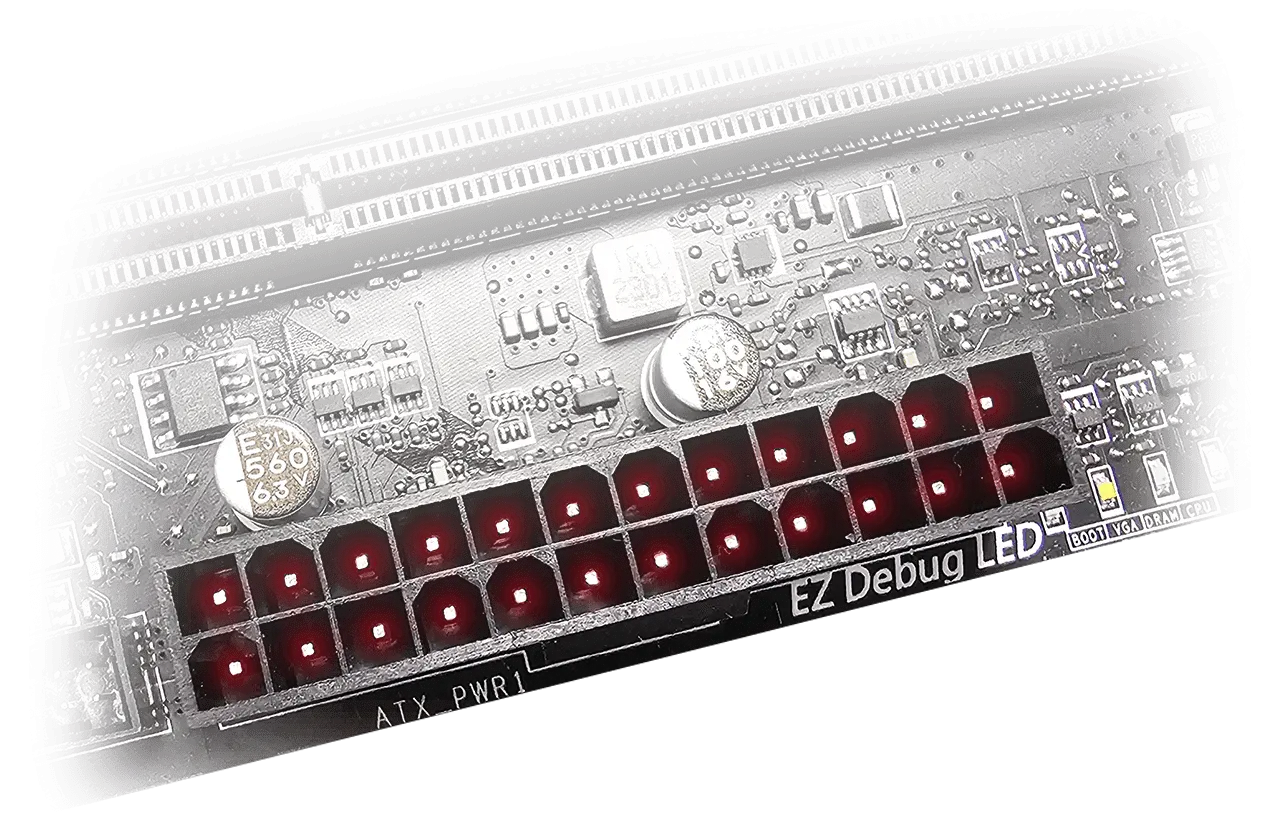
The 8-pin, and 24-pin power connectors of MSI motherboards are all designed with solid pins. The solid pin design allows for a more stable transmission of 12V power to the CPU, even when handling high current loads.
Advantages of Solid Pin Power connector
- Improved stability : Larger contact area enhances stability during power delivery.
- Low impedance : Solid pins offer low impedance, enabling efficient power flow.
- Strong durability : The solid pin design ensures strong durability, capable of withstanding demanding conditions.
- Suitable for high-current applications.
STAINLESS STEEL IO
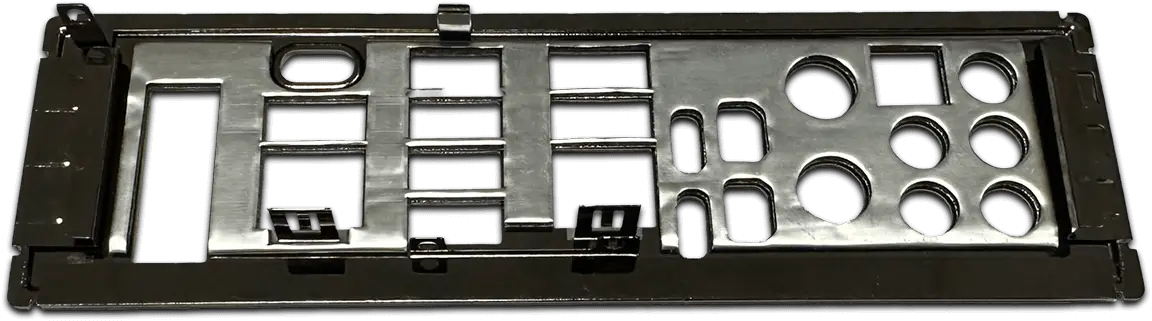
An extra layer of sponge materials along with corrosive resistance IO Shield to help improve static electricity and reduce electromagnetic radiation noise from the system as well as much more durable compare to traditional IO Shields.
OCP PROTECTION
Over Current Protection
MSI motherboards prioritize safety with the embedded Overcurrent Protection (OCP), ensuring crucial components such as the USB ports, DDR memory, PWM IC, and CPU are shielded from excessive current. This proactive defense mechanism curtails the risk of damage or malfunction due to power surges, promoting long-term system stability. This commitment to safeguarding your hardware underscores MSI’s dedication to producing motherboards that prioritize durability and stability.

GROUNDING STRUCTURE
The Grounding Structure of Power Phases
The grounding structure of power phases is the MSI’s exclusive design. This patented design enables to suppress the electromagnetic interference (EMI) generated by the power phases and helps to efficiently conduct heat to the copper plane with grounding properties.
FROZR DESIGN
FROZR GUARD

FROZR SYNC
SYSTEM COOLING
DIY 2.0 – INTEGRATING WITH THE SYSTEM ENVIRONMENT
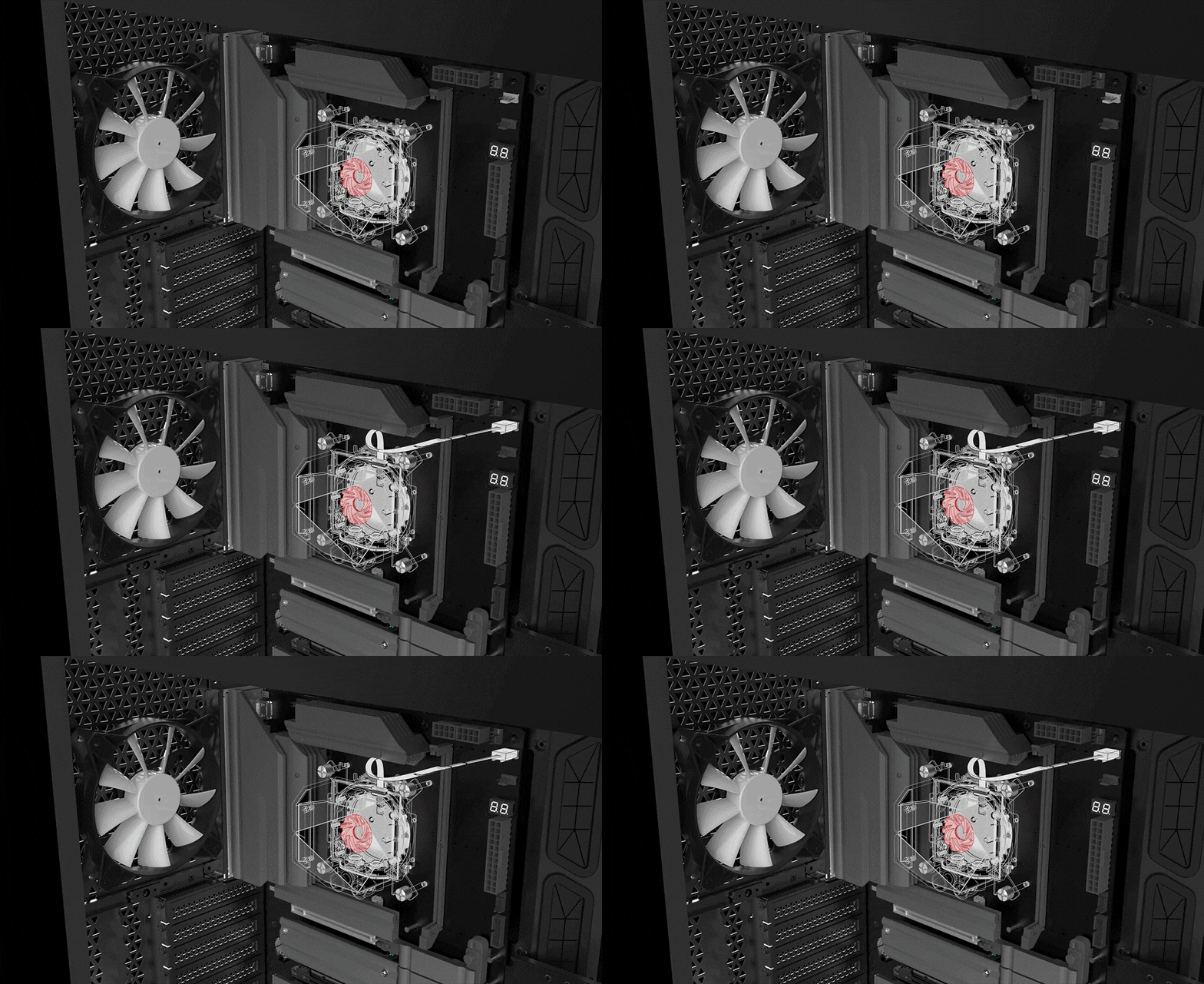
Connect and synchronize with MSI coolers and cases with strategically positioned pin-header locations including a dedicated pump-fan header.


COMBO FAN
The MSI Combo Fan Header is a versatile component, functioning as both a pump and or fan header. The header will automatically detects whether it is either pump or PWM/DC fan, with it’s distinctive gray color ensuring easy identification
PUMP FAN SYS FAN

FROZR CONTROL
COOLING WIZARD
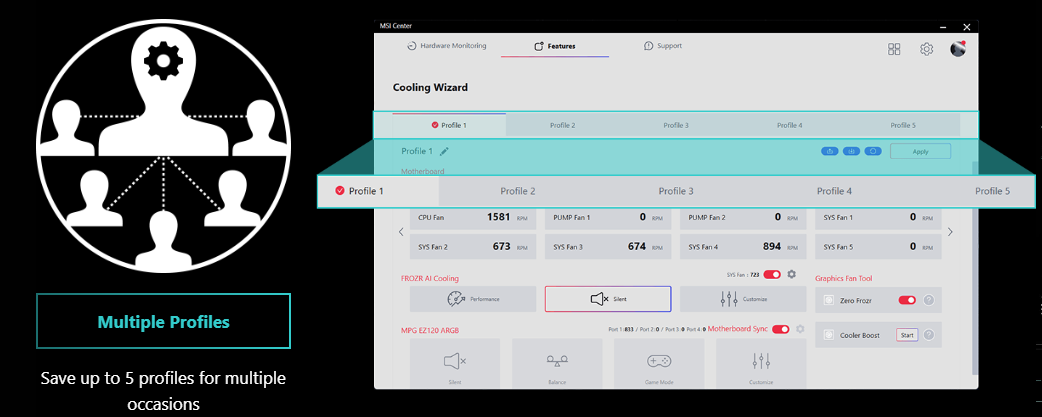
Cooling Wizard serves as a comprehensive solution for managing fan settings across all MSI products. It ensures superior cooling performance and noise reduction for your gaming PC, offering compatibility with PWM/DC fans and pumps, customizable options, and intuitive temperature monitoring for optimal operation with one click.
Multiple profiles
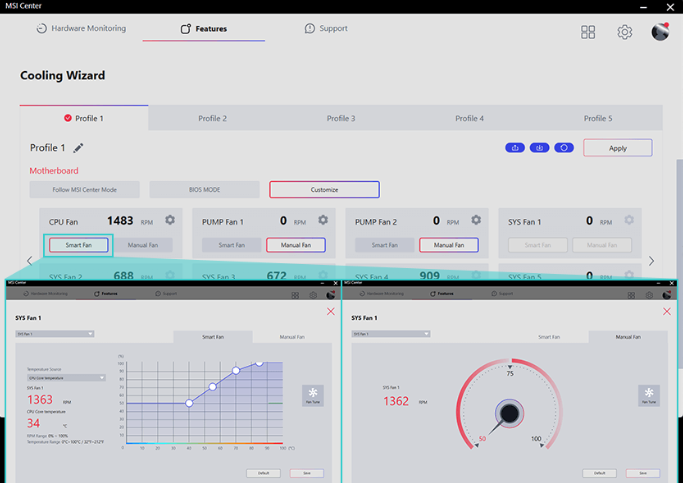
SMART FAN & MANUAL FAN
Smart fan: Allow users to change the temperature curve with the 4 dots provides.
Manual fan: Allow user to manually change the temperature at a set percentage.
USER SCENARIO
Follow MSI Centre Mode: Adjust fan settings According to the mode selected in User scenerio.
BIOS Mode: Adjust fan setting in BIOS
Customize by user: Customize fan settings by users.
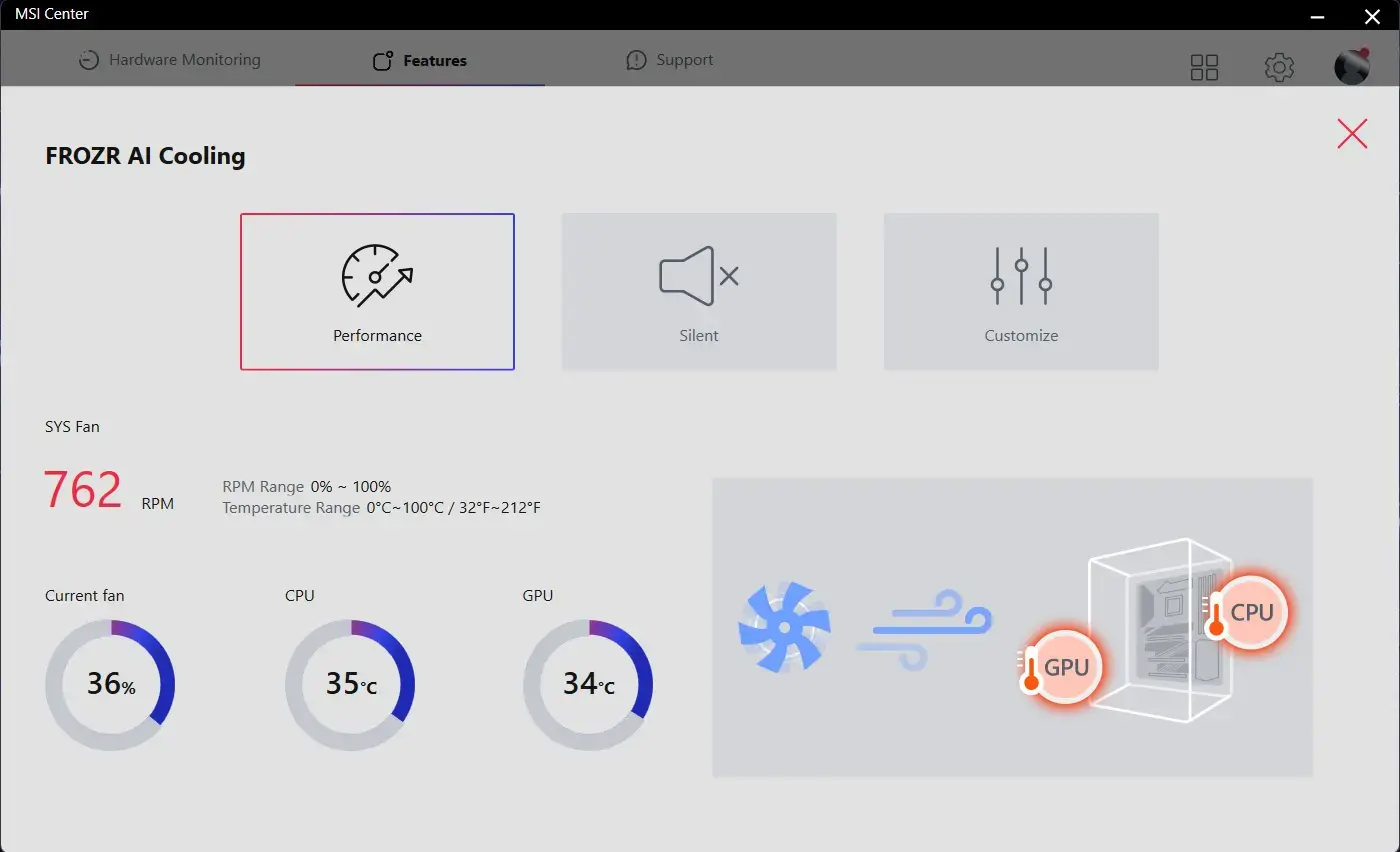
FROZR AI COOLING
Frozr AI Cooling targets CPU and GPU temperatures. The AI system detects CPU and GPU temperatures and automatically adjusts the fan duty of system fans to ensure optimal performance.
AUTO DETECT FAN
MSI fan headers automatically detect fans running in DC or PWM mode for optimal tuning of fan speeds and silence. Hysteresis also makes your fans spin up fluently to make sure your system stays silent, no matter what.

TRILINK
NETWORKING
FLAWLESS CONNECTION
HIGH-BANDWIDTH AND LOW-LATENCY NETWORK
MSI’s premium network solution provides incredible data transfer speed for demanding users.

WIFI 7 SOLUTION
THE NEXT GEN WI-FI SOLUTION – WI-FI 7
Wi-Fi 7 is the latest wireless solution that takes a huge leap forward with multiple improvements to meet the traffic demand brought and the growing number of wireless devices.
*Windows 11 compatibility only
Upgrade to WiFi 7
Wi-Fi 7 (802.11be) introduced higher speeds, wider channels, improved efficiency, and reduced latency over Wi-Fi 6 (802.11ax). It also improved battery life and provided better performance in crowded environments.
Higher Order Modulation
The higher QAM(Quadrature Amplitude Modulation) value, the more data each packet can carry. Wi-Fi 7 improves the modulation scheme from 1024-QAM to 4096-QAM – boosting peak transmission rates and network capacity.
Multi-Link Operation
Wi-Fi 7 enables devices to simultaneously send and receive data across several frequency bands and channels to meet the traffic demand brought and the growing number of wireless devices.
AI LAN Manager
MSI AI LAN Manager automatically classifies and prioritizes the latency-sensitive applications for online games, giving you the best online gaming experience with low latency.
MSI AI LAN MANAGER
- Automatically prioritizes games above other applications
- Allows to change applications’ traffic priority
- Allows to customize bandwidth for each application
- Analysis Wi-Fi signals to select the best source.
STORAGE
FAST AND FUTURE-READY STORAGE
MSI Gaming series motherboards support all the latest storage standards, which allows users to connect any ultra-fast storage device. Start games faster, load levels faster and have a real advantage over your enemies.
EXPANSION
LIGHTNING GEN 5 PCI-E WITH STEEL ARMOR

PCIe SUPPLEMENTAL POWER
The exclusive Supplemental PCIe Power connector provides dedicated power for the high-power demands of GPUs used in AI computing and gaming, ensuring stable, efficient, and sustained performance.
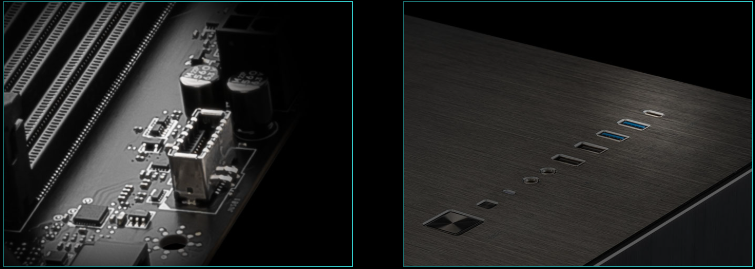
FRONT USB TYPE-C
MSI Gaming motherboards support USB Front Type-C that allows gamers to connect with the latest USB devices. Built up a system with MSI PC case to have the most convenient experience.
EXPERIENCE
AUDIO
AUDIO BOOST
- High definition Audio Processor
- High quality Audio capacitors
- High quality Audio Jacks
- Isolated Audio Signal
- DE-POP Protection
ISOLATED ANALOGY STRUCTURE
The Isolated Analogy Structure for Audio Connectors
To provide clear voice, MSI develops a unique structure – Isolated Analogy Structure. The external metal framework of the audio connectors is separated from the internal layout, which ensures the sound quality crisp.
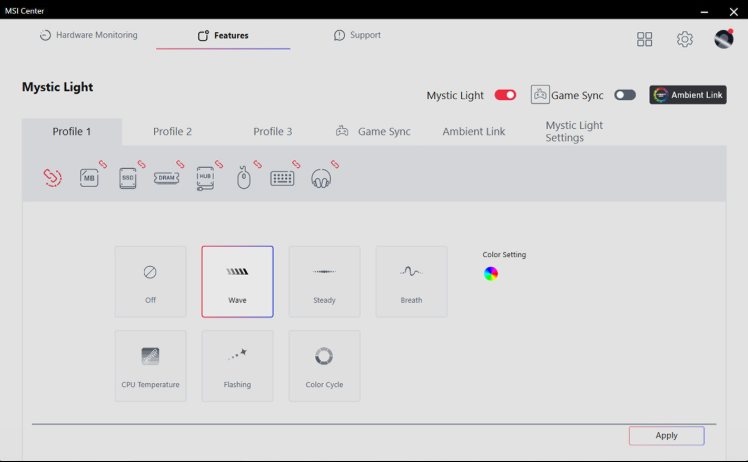
MYSTIC LIGHT
GLOW YOUR PC
Splash on some color and vibrant RGB lighting effects using Mystic Light utility of MSI Center, which has million colors and fancy LED effects. Enjoy the full control and creativity of your PC’s lighting with one software.
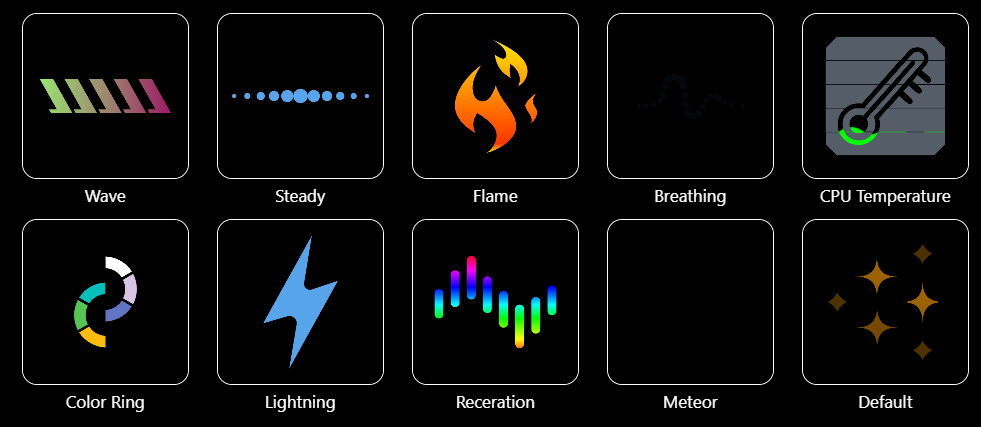
SYNCHRONIZED
Add more color if you want! Mystic Light Extension pin header provides an intuitive way to control additional RGB strips and other RGB peripherals added to a system, without needing a separate RGB controller.
- A-RAINBOW V2
- RGB
- AMBIENT LINK
BIOS
CLICK BIOS X
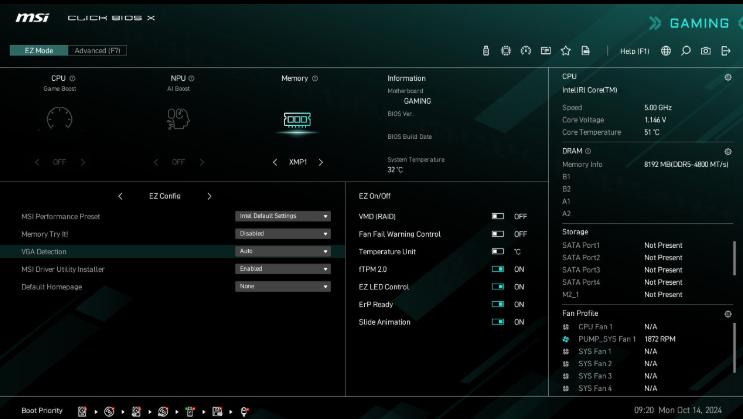
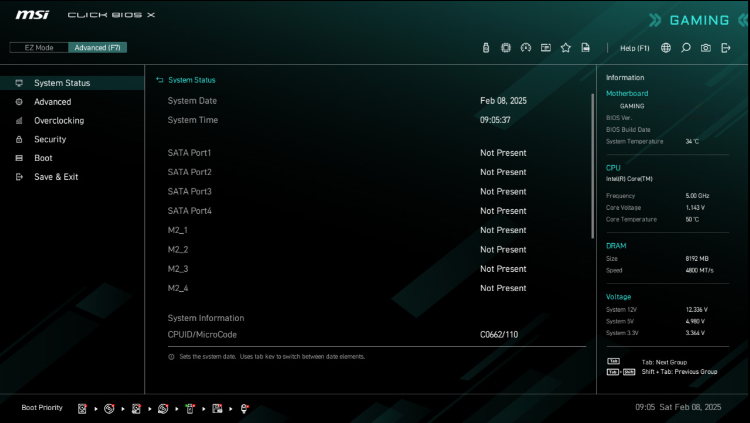
MSI’s newly designed CLICK BIOS X offers an aesthetically pleasing and user-friendly experience. The new design ensures that users of all experience levels can quickly access and adjust system configurations with ease.
EZ MODE
ADVANCED MODE
BIOS KEY FEATURES
XMP: Easily apply optimized memory overclocking profiles through a simple one-click activation.
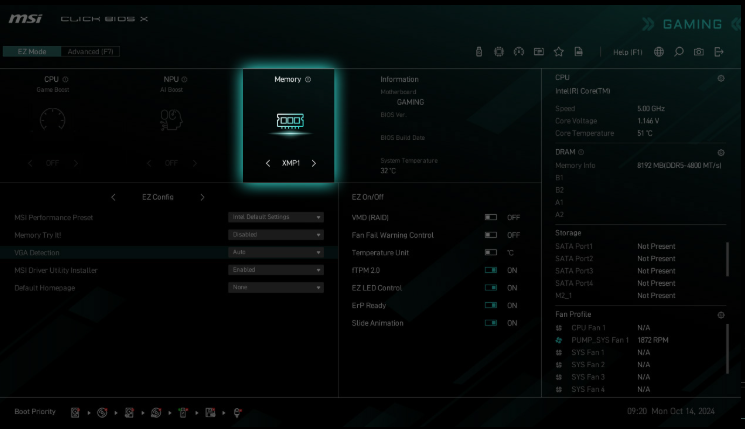
Hardware Monitor: Instantly access real-time critical hardware information, including temperature, memory capacity, clock speed, and voltage.
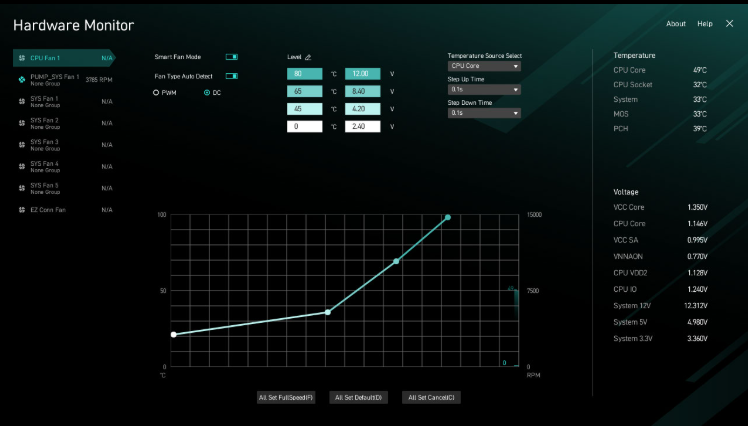
M-Flash: Easily Flash or update the BIOS in just a few minutes directly from the CMOS Setup Utility.

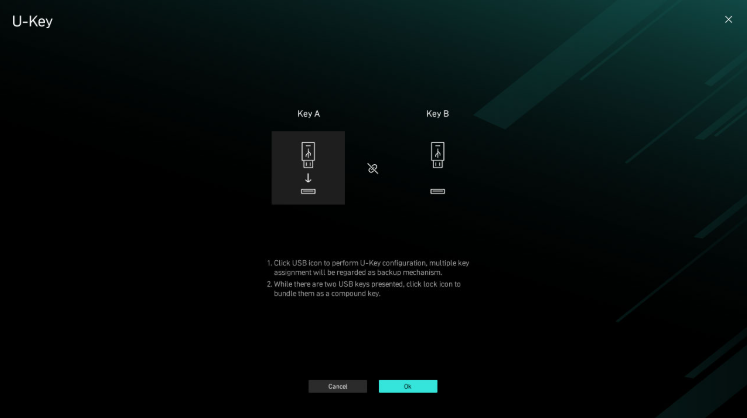
U-Key: Enables secure system access by requiring a specific USB drive for booting, adding an extra layer of security to your PC.
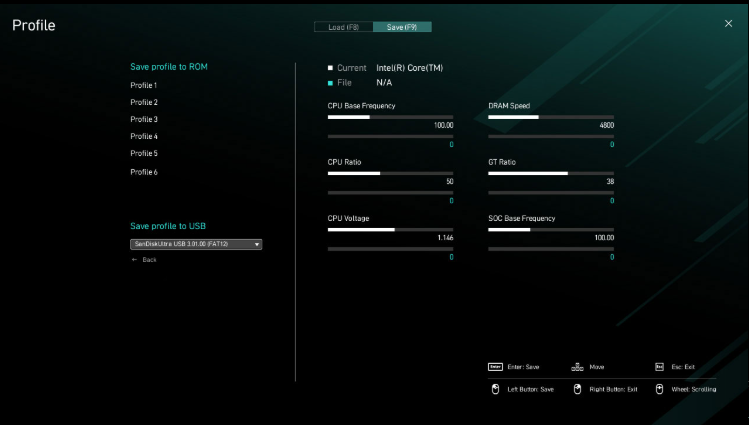
Profile: Save and switch between multiple custom system configurations, allowing for quick adjustments tailored to different tasks or performance needs.
Favorites: Bookmark frequently accessed settings, providing quick and easy access to essential configurations without the need to navigate through the entire menu.

Search: Quickly locate specific settings or options by typing keywords, streamlining navigation and making system adjustments more efficient.

SOFTWARE
MSI CENTER
MSI brand new MSI Center unifies a suite of MSI software utilities into a single centralized application. Take control of advanced motherboards features and unleash endless possibilities.
AI ENGINE: MSI AI Engine eliminates the need to tweak settings manually and saving you time and effort.
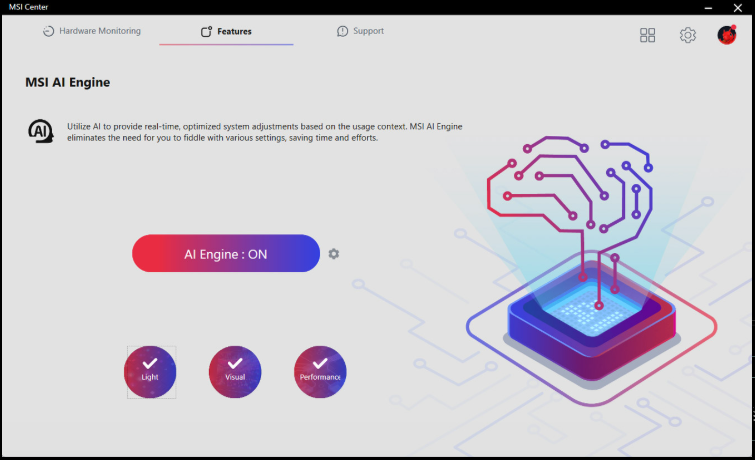
MYSTIC LIGHT: Create your own colorful masterpiece with ease. Splash any color you want with just a few clicks.
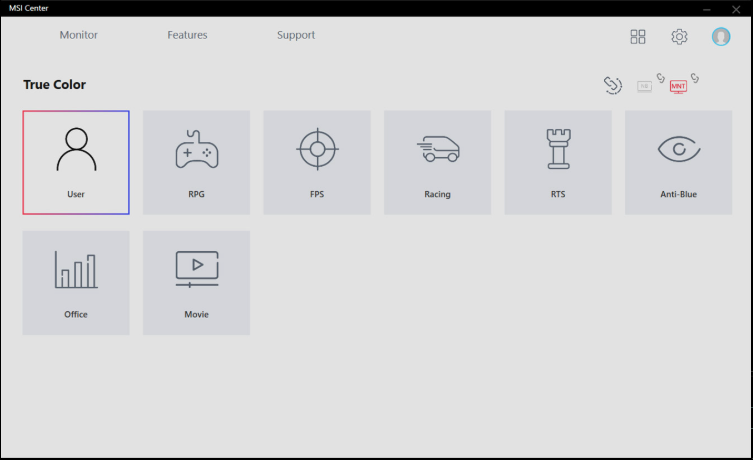
True Color: Optimized monitor’s brightness and color in several modes for different situation, you can also customize by yourself.
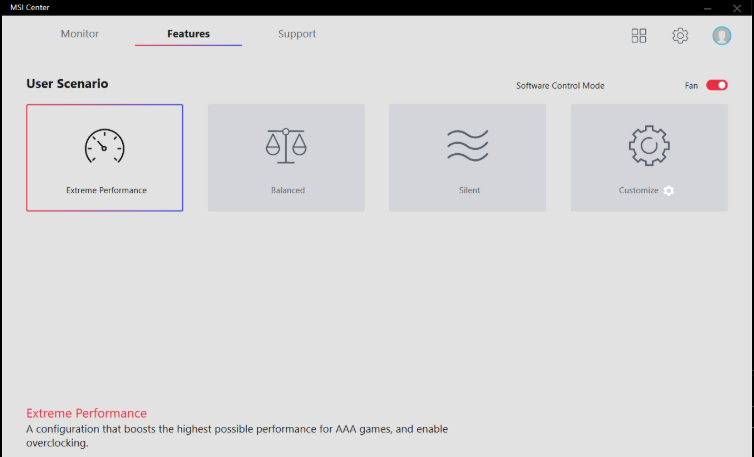
USER SCENERIO: One Click for setting your computer, even customize own profile as your preference.
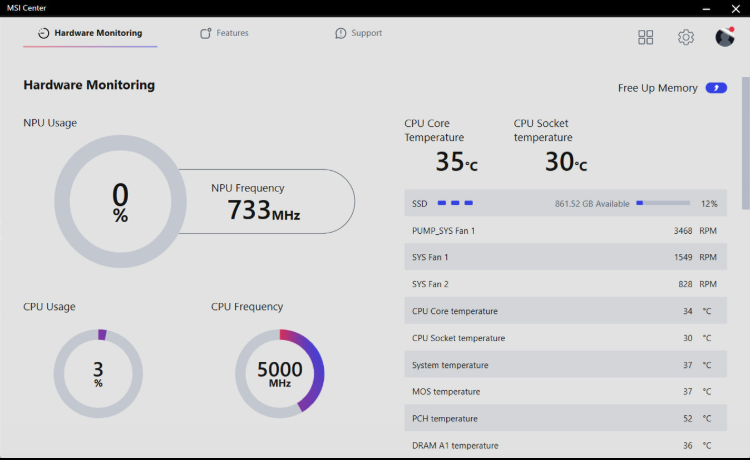
Hardware Monitoring: Get immediate access to your critical hardware information in real-time.
Cooling Wizard: Cooling Wizard is a comprehensive tool for managing fan settings across MSI products, offering one-click optimization.

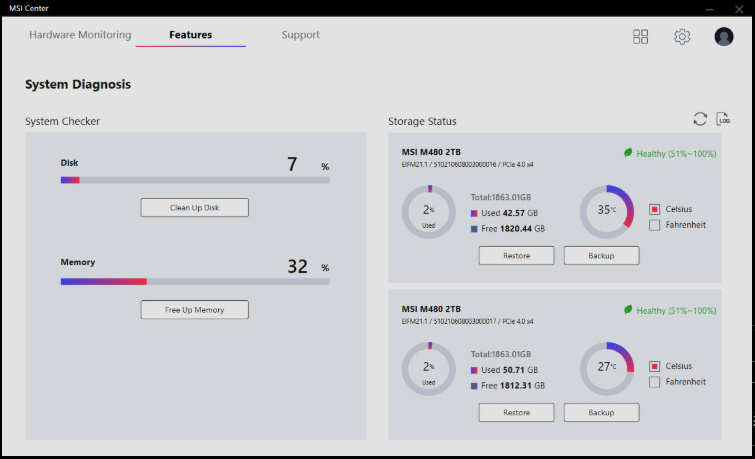
System Diagnosis: Restore and backup your MSI storage devices in one click to provide stable system usage, you can even monitor the storage status to prevent system crash or data missing.
AIDA64
MSI motherboards provide 60 days free trial of AIDA64 Extreme – MSI edition. AIDA64 Extreme is an almighty application for system information, diagnostics and benchmarks. With the application, you can monitor the detailed hardware and software information on PC and save it to file in multiple formats such as CSV and HTML.
NORTON 360
Multiple layers of protection for your devices, online privacy features including our Secure VPN, plus Dark Web Monitoring – all in a single solution. With MSI motherboards, you can enjoy a 60-day free trial of Norton 360 Deluxe.
- Up to 50 GB PC cloud backup
- Real time Threat protection and Smart Firewall
- Password manager
- PC SafeCam
SPECIFICATIONS
| Chipset | INTEL B860 |
|---|---|
| CPU | Supports Intel® Core™ Ultra Processors (Series 2) LGA 1851 |
| Memory | 2x DDR5 UDIMM, Maximum Memory Capacity 128GB Memory Support DDR5 9066 – 6400 (OC) MT/s / 6400 – 4800 (JEDEC) MT/s Max. overclocking frequency: • 1DPC 1R Max speed up to 9066+ MT/s • 1DPC 2R Max speed up to 7200+ MT/sSupports Intel® POR Speed and JEDEC Speed Supports Memory Overclocking and Intel® XMP 3.0 Supports Dual-Controller Dual-Channel mode Supports Non-ECC, Un-buffered memory Supports CUDIMM• The DIMM slots on this motherboard only have single-sided latches. • Memory compatibility and supported speeds can vary depending on the CPU and memory configuration. For detailed information, please refer to the Memory Compatibility List available on the product’s Support page or visit https://www.msi.com/support/. |
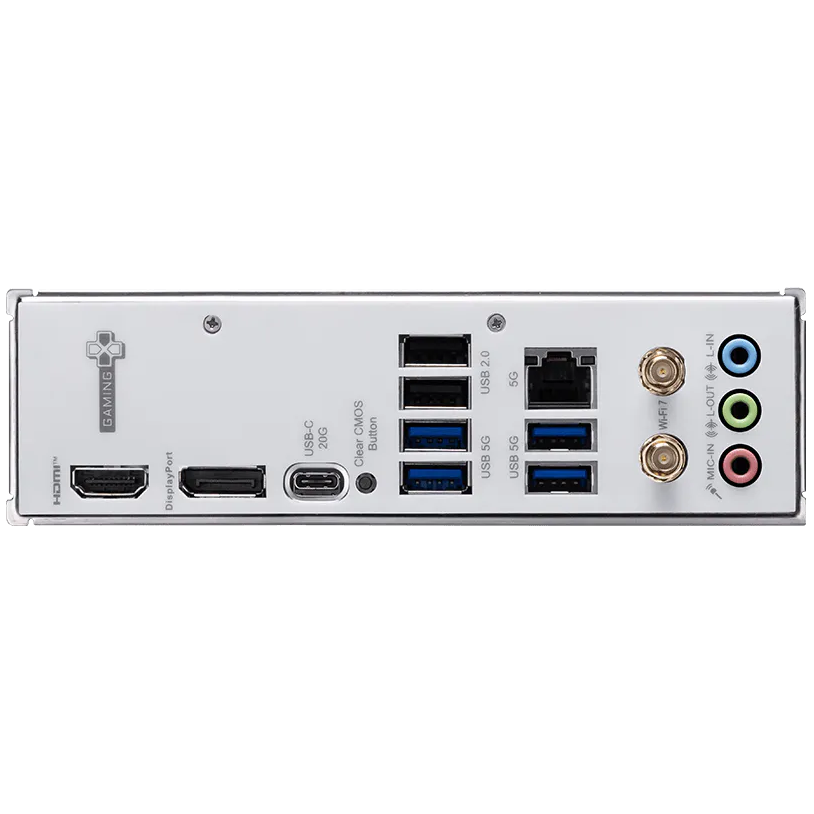
| Onboard Graphics | 1x HDMI™ Support HDMI™ 2.1, maximum resolution of 4K 60Hz* 1x DisplayPort Support DisplayPort 1.4, maximum resolution of 4K 60Hz* *Available only on processors featuring integrated graphics. Graphics specifications may vary depending on the CPU installed. |
| Slot | 1x PCI-E x16 slot 1x PCI-E x4 slot PCI_E1 Gen PCIe 5.0 supports up to x16 (From CPU) PCI_E2 Gen PCIe 4.0 supports up to x4 (From Chipset) |
| Audio | Realtek® ALC897 Codec 7.1-Channel High Definition Audio |
| Storage | 2x M.2 M.2_1 Source (From CPU) supports up to PCIe 5.0 x4 , supports 2280/2260/2242 devices M.2_2 Source (From Chipset) supports up to PCIe 4.0 x4 , supports 2280/2260 devices 4x SATA 6G*Please refer to the manual for M.2 SSD heatsink restrictions. |
| RAID | Supports RAID 0, RAID 1, RAID 5 and RAID 10 for SATA storage devices |
| USB | 2x USB 2.0 (Rear) 4x USB 2.0 (Front) 4x USB 5Gbps Type A (Rear) 2x USB 5Gbps Type A (Front) 1x USB 10Gbps Type A (Front) 1x USB 20Gbps Type C (Rear) |
| LAN | Realtek® 8126 5Gbps LAN |
| Internal IO | 1x Power Connector(ATX_PWR) 1x Power Connector(CPU_PWR) 1x Power Connector(PCIE_PWR 8pin) 1x CPU Fan 1x Combo Fan (Pump_Sys Fan) 2x System Fan 2x Front Panel (JFP) 1x Chassis Intrusion (JCI) 1x Front Audio (JAUD) 1x Tuning Controller connector(JDASH) 3x Addressable V2 RGB LED connector (JARGB_V2) 1x RGB LED connector(JRGB) 1x TPM pin header(Support TPM 2.0) 4x USB 2.0 ports 2x USB 5Gbps Type A ports 1x USB 10Gbps Type C ports |
| WIRELESS LAN & BLUETOOTH | Wi-Fi 7 module The Wireless module is pre-installed in the M.2 (Key-E) slot Supports MU-MIMO TX/RX, 2.4GHz / 5GHz / 6GHz* (160MHz) up to 2.9Gbps Supports 802.11 a/ b/ g/ n/ ac/ ax/ beSupports Bluetooth® 5.4**, MLO, 4KQAM* 6GHz band support may depend on every country’s regulations and Wi-Fi 7 will be ready in Windows 11 SV3. ** The Bluetooth version may be updated, please refer to the Wi-Fi chipset vendor’s website for details. Bluetooth 5.4 support schedule depends on MSFT Windows 11 plan. |
| LED FEATURE | 4x EZ Debug LED 1x EZ Memory Detection LED |
| BACK PANEL PORTS | 
|
| OPERATING SYSTEM | Support for Windows® 11 64-bit |
| BOX CONTENT | 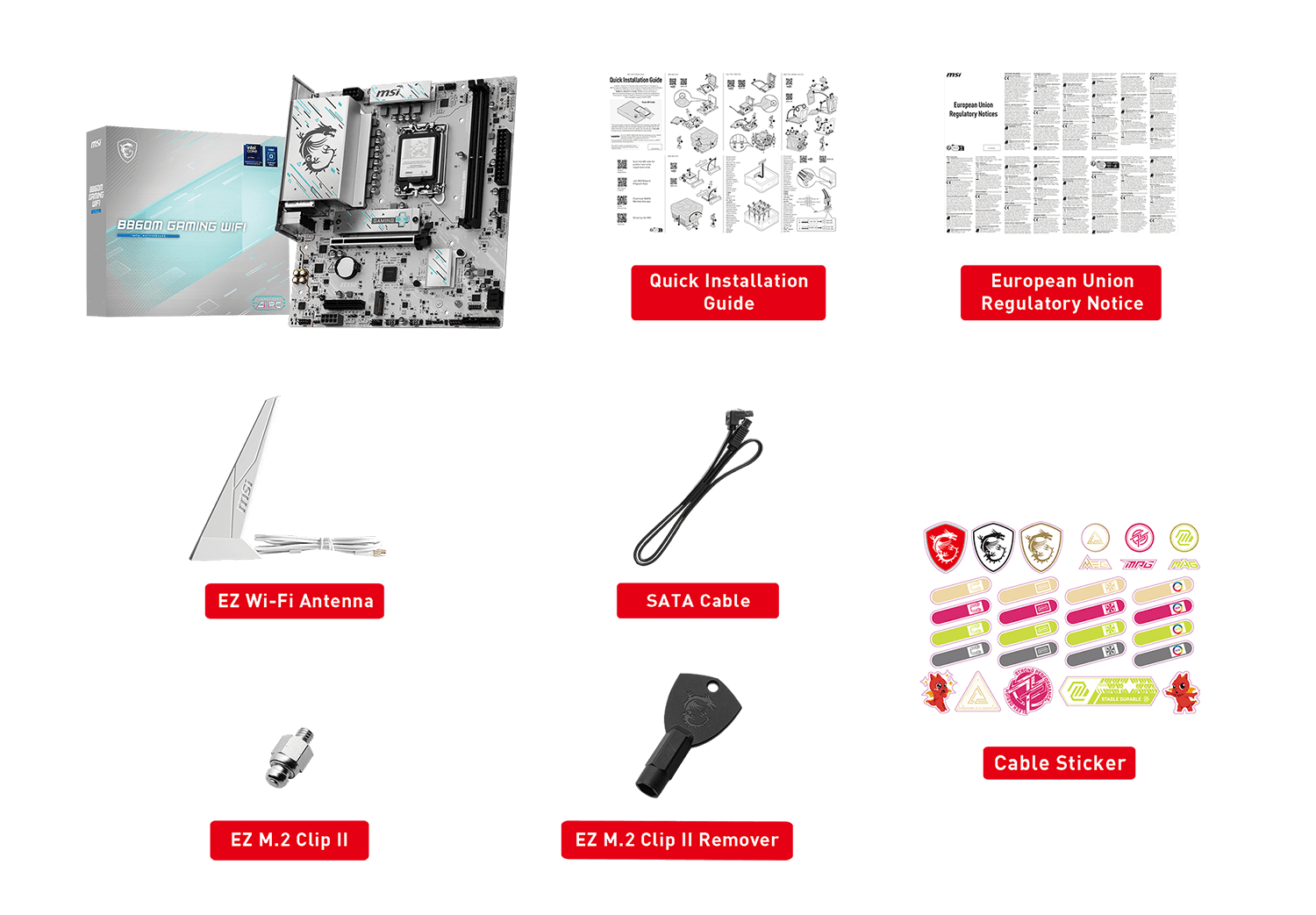 |
| PCB Info | mATX 220mmx243.84mm |
| Brand | MSI |
|---|---|
| Warranty | Official Warranty |
Only logged in customers who have purchased this product may leave a review.




Reviews
Clear filtersThere are no reviews yet.